When someone searches "near me" for what you offer, you want to be the business they find. It comes down to a clean website, a Google Business Profile, and consistent contact info. Biz22 builds your site with these fundamentals in place.
How People Search for Local Businesses
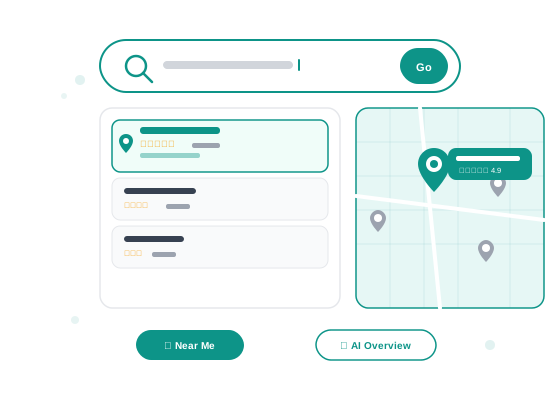
The way customers find local businesses has changed in the past five years. Most searches now happen on phones, often with phrases like "plumber near me," "best Thai restaurant downtown," or "hair salon open Sunday." Google responds with a mix of results: a local map pack showing three businesses on a map, AI-generated overviews that summarize recommendations, and traditional blue links below.
To show up in any of these formats, you need to do a few specific things right. The good news is that for a local small business, the bar is not that high — most of your competitors are doing nothing. Doing the basics well puts you in a strong position.
Step 1: Claim Your Google Business Profile
Google Business Profile (formerly Google My Business) is the free listing that shows your business on Google Maps and in local search results. It is the single most important thing you can do for local visibility — and it is completely free.
Go to business.google.com, search for your business, and claim it. Fill out every field: business name, address, phone number, hours, category, and a short description. Add photos — even a few good photos of your storefront, team, or work dramatically increases how often you show up and how trustworthy you look. Encourage customers to leave reviews. A business with 20 genuine five-star reviews will almost always outrank a competitor with zero reviews, even if that competitor has a fancier website.
Step 2: Have a Real Website
A Google Business Profile alone is not enough. Google cross-references your listing against your website to confirm your business is legitimate. A business with no website is harder for Google to trust — and it shows in rankings.
Your website does not need to be complex. A single, well-built page with your business name, what you do, where you serve, your phone number, and a contact form is enough. What matters is that the information is there, it loads fast, it works on mobile, and it matches what is in your Google Business Profile.
Google also reads the text on your website to understand what your business does. If you are a roofing contractor in Austin, your site should say "roofing contractor in Austin" — not just generic language about home improvement. Be specific about what you do and where you do it.
Step 3: Make Your Info Crystal Clear
Google uses something called NAP consistency — Name, Address, Phone number — to verify your business is real. If your phone number on your website is different from what's in your Google Business Profile, or your business name is slightly different on Yelp than on Facebook, it creates confusion for Google's algorithm and can suppress your rankings.
Do a quick audit: search your business name and check every listing you appear in. Make sure your name, address, and phone number are identical everywhere. This simple fix alone can improve your local ranking without any technical SEO work.
Step 4: Don't Forget AI Search
Google's AI Overviews now appear at the very top of many search results, summarizing answers before the traditional results even load. ChatGPT, Perplexity, and other AI tools are increasingly used to find local recommendations too. These AI systems pull from publicly available information about your business — your website, your Google Business Profile, your reviews.
The best way to show up in AI-generated results is the same as showing up in regular Google results: have accurate, consistent information across your website and business listings, earn reviews, and make sure your website clearly explains what you do and where. AI tools reward clarity and authority — not tricks.
What Actually Moves the Needle
Here is a clear breakdown of the actions that matter most, what they cost, and the impact you can expect:
| Action | Cost | Impact |
|---|---|---|
| Claim and complete Google Business Profile | Free | High — shows up in map pack, Google Maps, local search |
| Build a fast, mobile-friendly website | $99 one-time + $14.99/mo with Biz22 | High — boosts Google trust, enables organic search ranking |
| Consistent NAP across listings | Free (time only) | Medium — removes ranking confusion, builds Google trust |
| Earn 10+ genuine customer reviews | Free (ask your customers) | High — reviews directly influence local map pack ranking |
| Paid Google Ads | $200–$500+/month minimum | Immediate visibility but stops the moment you stop paying |
| Social media posting | Free (time-intensive) | Low direct SEO impact, but builds brand awareness |
QHow long does it take to show up on Google?
Google Business Profile changes can appear within a few days to a few weeks. Website changes take longer — Google needs to crawl and re-index your pages, which typically takes 2–8 weeks for a new site. SEO is a slow build, but the results are lasting. Paid ads show up immediately but disappear when your budget runs out.
QDo I need to hire an SEO expert?
For most local small businesses, no. The basics — Google Business Profile, a clean website with clear text, consistent contact info, and reviews — are enough to outrank competitors who do nothing. An SEO expert becomes worthwhile if you are in a highly competitive market or want to target a wider geographic area. Start with the fundamentals first.
QShould I run Google Ads to get found faster?
Ads can get you to the top of search results immediately, which is useful if you need customers now. But they are expensive and stop working the moment you stop paying. Organic search and your Google Business Profile are slower to build but cost nothing per click and keep working indefinitely. The best approach for most small businesses: get the free fundamentals right, then consider ads only if you have the budget and need immediate volume.
QMy business shows up on Google but nobody calls. What is wrong?
You are showing up — that is good. The problem is likely conversion, not visibility. Check your listing photos (low-quality or zero photos hurt trust), your reviews (a 3.2 star average versus a competitor's 4.8 is the difference), and your website (does it make it easy to call or contact you on mobile?). Visibility gets people to your listing; trust and clarity turn them into customers.
Get a Website That Helps You Show Up
Biz22 builds every site with the right structure, fast loading, and mobile-first design so Google can find you — and customers can trust you.